I recently built a website that needed registration forms for runners to register for races. A simple solution…Ninja Forms.
Hidden data such as race time, bib number, etc., those fields that the client would update after the race, would need to be displayed on the results page, as well as basic info such as first name, last name, etc.
Since the client would create different forms per race, we needed to be able to populate these fields on the results page according to form ID.
So how do we display Ninja Forms submissions on a page by form ID? And how do we target certain fields even though each form generates different field numbers for their inputs? Let me show you:
This is our base code. This will dump an array of all submissions for that form ID.
So how do we select specific values from these associative arrays?
Well, we need to be sure we set the key names in Ninja Forms.
You see, Ninja Forms, by default, adds keys like racename_119283774885 automatically, and this doesn't help us with any uniformity.
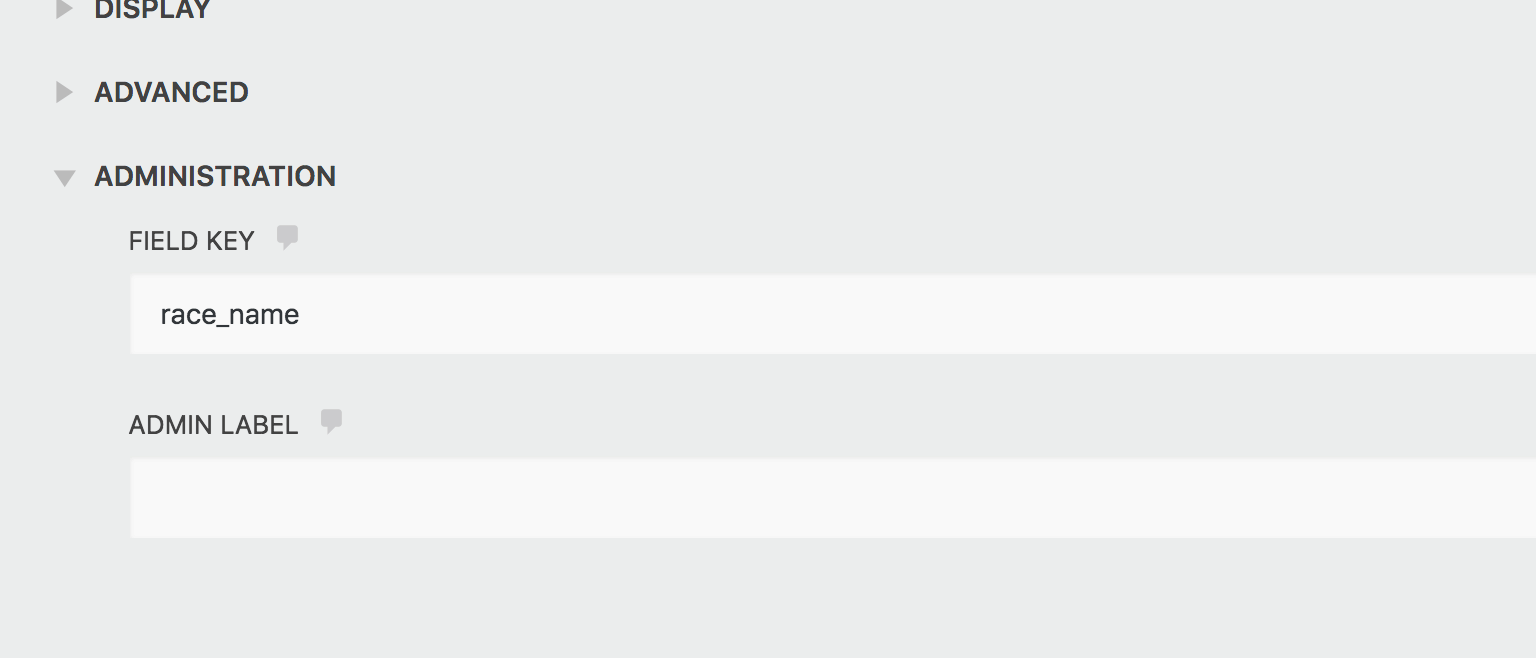
So in our form, we need to make the keys easy. For instance, for the Race Name, I would put race_name in the FIELD KEY field. That is found by opening up the form to edit > clicking on the field we want > and under Administration you will see FIELD KEY:
In our project, we set the FIELD KEY for the core information fields that we needed to retrieve. That way, the client can create all forms from this template, and it would always target the right keys, no matter the form ID.
So once those are set, your arrays will have nice keys that you can target like so (and be sure to change the keys according to how you set them):.
```php // Start by declaring the form ID in a variable. $form_id = 2; // Get all submissions for that form ID $submissions = Ninja_Forms()->form( $form_id )->get_subs(); if ( is_array( $submissions ) && count( $submissions ) > 0 ) { foreach($submissions as $submission) { // Grabbing all fields $race_values = $submission->get_field_values(); // Getting specific fields from above variable $race_name = $race_values['race_name']; $first_name = $race_values['firstname']; $last_name = $race_values['lastname']; $paymentStatus = $race_value['hidden_payment_status']; $place = $race_value['hidden_place']; $bibNumber = $race_value['hidden_bib_number']; $time = $race_value['hidden_time']; $gender = $race_value['gender']; $age = $race_value['age']; // Output your fields here } } ```In my scenario, I wanted to display each runner's info in a nice table. So I set it up like so:
```php // Opening table headers echo '| Place | Bib # | Last Name | First Name | Gender | Age | Time |
|---|---|---|---|---|---|---|
| ' . $place . ' | ' . $bibNumber . ' | ' . $lastName . ' | ' . $firstName . ' | ' . $gender . ' | ' . $age . ' | ' . $time . ' |
And that's how you display Ninja Forms submissions by form ID.
Let me know if you have any questions.
Are you learning to code or trying to learn to code, but need some structure, some accountability? Want to develop the confidence to land that Junior Developer job in 2019? Then check out my newly released "Learn to Code Blueprint" Online Course!