# How to Find a GoDaddy Nameserver IP Address For Any Host
When setting custom Nameservers for GoDaddy domains, an IP Address is required for each. In this article, I'll show you how to easily locate that IP Address.
I recently moved my blog to Digital Ocean. My domain is with GoDaddy and when changing the Nameservers over to the three required by Digital Ocean, I was asked for the IP address of each one.
I tried to leave it blank, but the GoDaddy nameserver IP address was a required field.
I wasn't provided with any and couldn't seem to locate any.
If you are in the same boat, just do the following if you are on a Mac or have access to a Linux terminal.
Simply ping the nameserver and it will give you the IP address of it.
`bashping ns1.digitalocean.com`
And there it is:
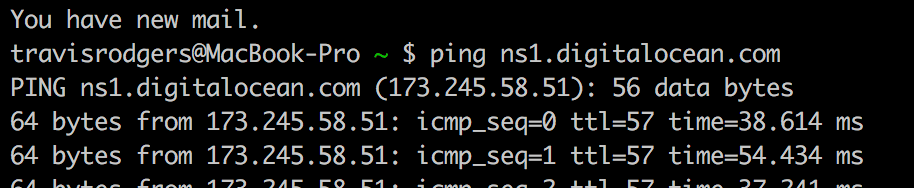
And do the same for the other two nameservers or whatever nameservers you need to point to.