I dictate a lot.
Quick notes, prompts to an LLM, the first messy draft of an email.
Typing all of that is slower than just talking (I blame bad typing habits picked up 10 or so years ago), so I went looking for a push-to-talk dictation app for the Mac. No subscription, and no audio shipped off to a server somewhere.
Voxtype was the best candidate, and it was great while I was running Omarchy full time. Mac is another story. Voxtype just added Mac support and it’s, to say the least, not all there yet.
So I built my own for Mac. It’s called Votelli. It’s ultra lightweight, local, and it’s free.
What is Votelli?
Votelli is a push-and-hold voice-to-text app for macOS. You hold a key, you talk, you let go, and the text appears wherever your cursor is. That’s it.
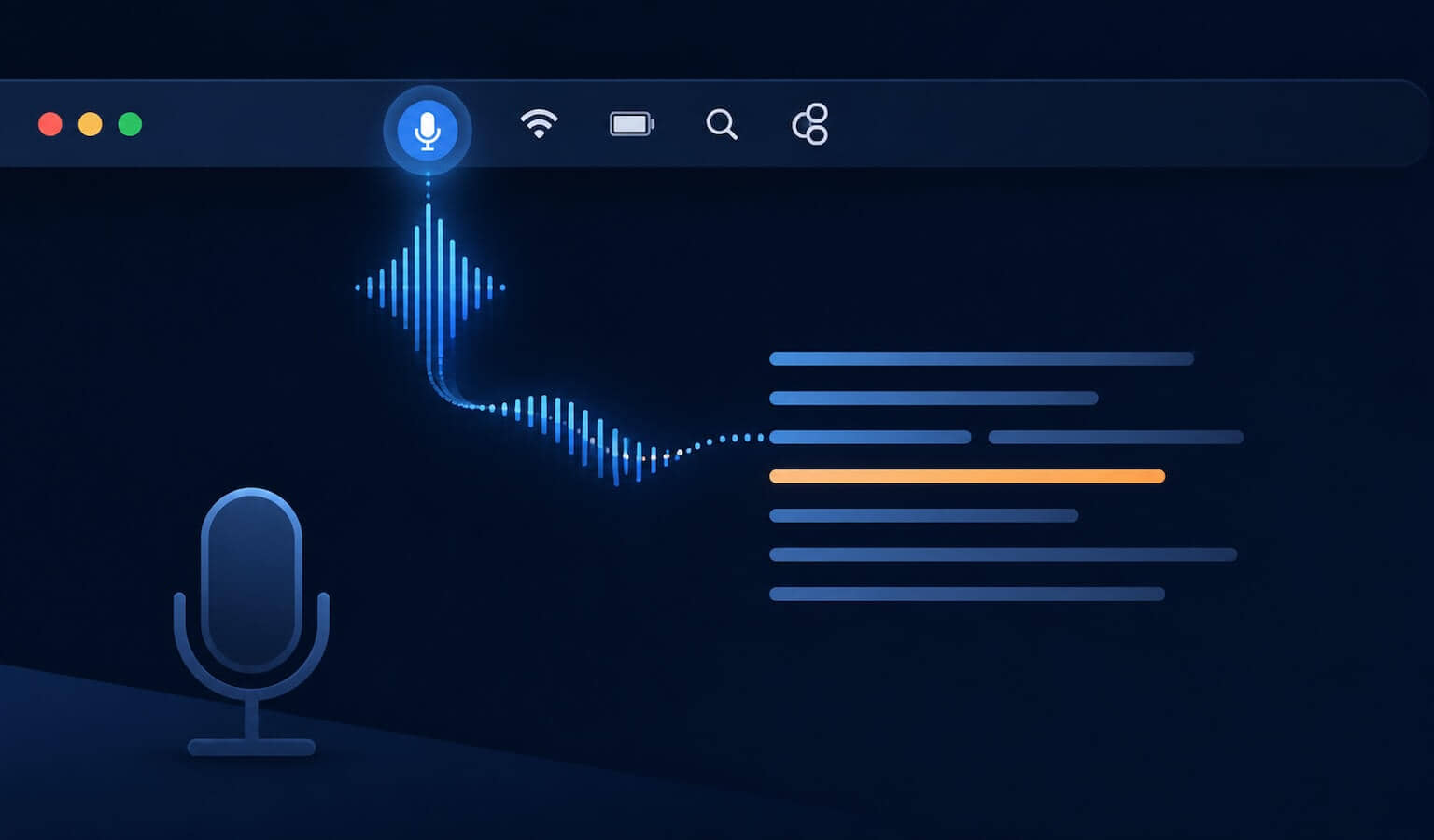
It lives in the menu bar, not the Dock. No window to manage, no app to switch to. A small microphone icon sits up in the top right and tells you whether it’s idle, recording, or transcribing. The rest of the time you forget it’s there.
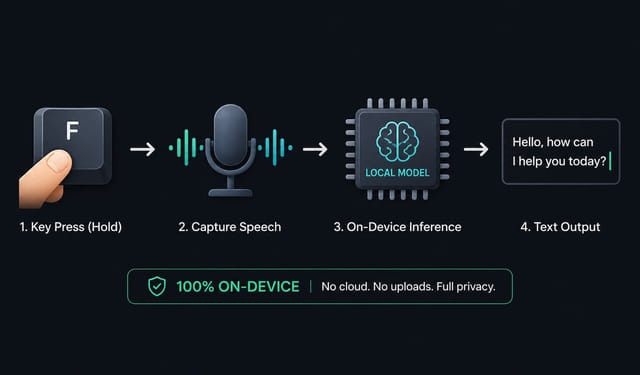
The part I care about most: the transcription happens on your Mac, with nothing leaving the machine. Turn off your wifi and it still works. No account, no API key, no monthly bill.
Why build one instead of paying for it?
There are paid dictation apps that do this well. Wispr Flow is the obvious one. They’re polished, and if you live in them all day they may be worth the money.
But for what I needed, paying a subscription to talk to my own computer felt backwards. I wanted three things:
- Free, with no account
- Local, so my voice isn’t uploaded anywhere
- Dead simple, with one key and no menus to think about
Votelli is the version of that I actually wanted to use. It does one job. It does it without asking for a credit card or an internet connection.
How it works
Under the hood, Votelli transcribes entirely on-device, and it picks the best engine for your Mac. On macOS 26 and later it uses Apple’s built-in SpeechAnalyzer, the on-device engine that’s both faster and more accurate, with the speech models managed by the OS. On macOS 13 through 15, where that engine doesn’t exist, it falls back to Whisper (the base.en model bundled right into the app, run through whisper.cpp on the GPU via Metal).
Either way, when you hold the key Votelli captures your mic, transcribes the audio locally, and types the result out at your cursor using synthesized key events. That last detail matters more than it sounds: because it types instead of pasting, your clipboard is never touched.
Hold key → record mic → on-device engine (Apple SpeechAnalyzer or local Whisper) → text at your cursorThe whole point is that this runs on your own machine instead of a data center. For everyday dictation (notes, prompts, messages) it’s plenty accurate, and it’s fast because there’s no network round trip.
What I actually use it for
The reason push-to-talk fits so well is that it pairs naturally with talking to LLMs. I hold the key, ramble out a prompt to Claude or ChatGPT, let go, and it’s typed. Speaking a paragraph is much faster than typing one, and you tend to give the model more context when you’re talking instead of pecking at the keyboard.
Outside of that, it’s just good for the small stuff: jotting a note, replying to a message, getting a rough draft down before I clean it up. Anywhere there’s a text field, Votelli works, because it types into whatever app has focus.
The other half of the setup is the mic. I keep a boundary mic flat on my desk so it’s always ready the moment I hold the key, no boom arm to swing over. I wrote about why that form factor beats the alternatives for dictation in my AC-44 desk mic post.
Installing it
Votelli is for the Mac only, and it needs an Apple Silicon Mac on macOS 13 or later. Here’s the short version:
- Download the latest
Votelli-<version>.dmgfrom the Releases page. - Open the DMG and drag Votelli.app into your Applications folder.
- Double-click Votelli.app. It’s signed with an Apple Developer ID and notarized by Apple, so it opens straight away with no “unidentified developer” warning to clear.
- On first launch, Votelli opens its own Preferences window and walks you through the permissions it needs, showing live status for each one as you grant it.
Those permissions are worth a quick word, because a voice app asking for them is fair to question:
| Permission | Why it’s needed |
|---|---|
| Microphone | to hear you while you hold the key |
| Input Monitoring | to detect the push-to-talk key being held |
| Accessibility | to type the transcribed text into other apps |
Everything else (the Whisper model, the Metal GPU shaders) is bundled in the app, so there’s nothing else to download or configure.
Votelli can also update itself: there’s a Check for Updates in the menu, and that’s the only time it ever reaches the network. No background phoning home, no telemetry. Leave your wifi off and it keeps working; you just won’t see new versions until you ask.
Using it
Click into any text field. Hold your hotkey, speak, release. A small waveform HUD rises and falls while you hold the key so you know it’s listening, and the text types in a beat after you let go.
The default key is Right Option (⌥). If that’s not comfortable, open Preferences → Push-to-talk key, click the button, and press the key you want. It has to be a modifier (⌥ ⌘ ⌃ ⇧ or Fn) so it doesn’t collide with normal typing. You can also flip on Start at login so it’s always ready.
Everything is free
There’s no paid tier, no license to unlock, no feature held back for a paying version. Every feature ships in the app you download.
That includes the bigger stuff: a multilingual engine that auto-detects the language you’re speaking, searchable history across everything you’ve dictated, custom vocabulary for names and terms it wouldn’t otherwise get right, and on-device AI cleanup that strips filler words and fixes up punctuation as it types.
All of it runs on your Mac, and nothing leaves the machine. No account, no subscription, no one-time purchase either.
It’s open source
Votelli is MIT licensed, and the code is on GitHub. If you want to read exactly what it does with your microphone, you can. If you want to build it from source instead of using the signed DMG, the README walks through it. And if you just want to dictate without paying for the privilege, download the DMG and you’re done in about two minutes.
That’s really the whole pitch. Free, local, offline, one key. The simplicity is the point.
This page may contain affiliate links. Please see my affiliate disclaimer for more info.